CIS CSC v8.1 IG1 controls: where small business automation breaks and why
 Geert WarmenbolMay 5, 2026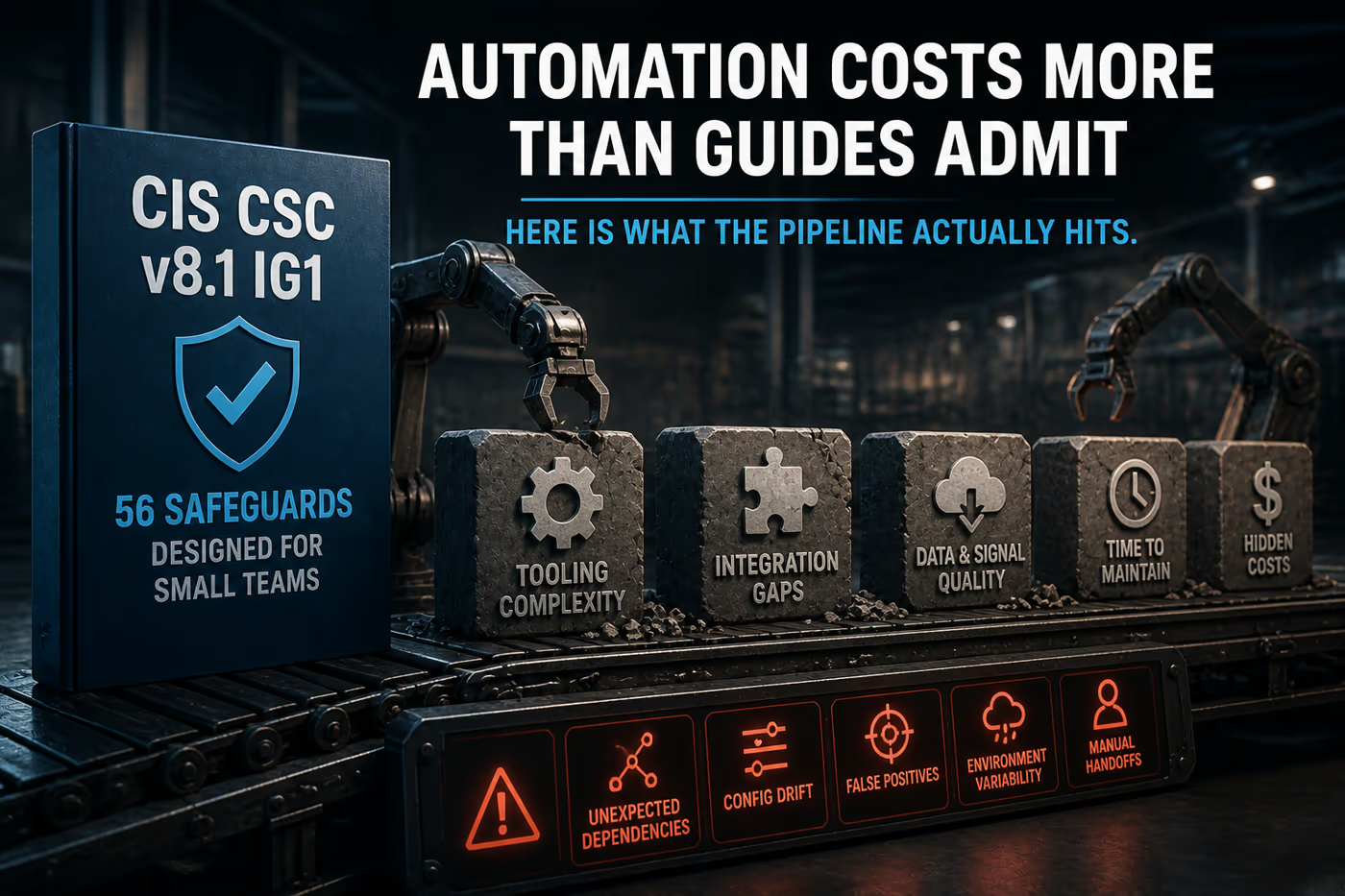
Key takeaways
CIS CSC v8.1 IG1 covers 56 Safeguards across 18 Controls, targeting organizations with limited IT resources where off-the-shelf solutions and default configurations are the primary defense mechanism.
The most common IG1 automation failure is not tooling selection -- it is feedback loop design. Tools get deployed, scans run, findings generate, and nothing routes the output to a person with authority to act on it.
In Vulnox assessments of small organizations self-reporting IG1 compliance, 68% had at least one automated control that produced output no one was reviewing -- running correctly, alerting nobody (Vulnox assessment data, 2024).
CIS Control 7 (Continuous Vulnerability Management) is the IG1 control most organizations implement and then abandon within 90 days -- not because scanning is hard but because scan output without a remediation workflow creates noise, not security.
IG1 does not require a SIEM, a SOC, or dedicated security staff. It does require that someone receives and acts on automated findings. At organizations under 50 employees, that person is usually the same person managing the tools -- a structural conflict that breaks the feedback loop by design.
The IG1 Safeguard most reliably skipped under resource pressure is 4.7 (manage default accounts on enterprise assets and software). Default credentials on internal tools survive for years in small environments because no automated check flags them and no audit touches them.
TL;DR
CIS CSC v8.1 IG1 looks achievable on paper. Fifty-six Safeguards, basic hygiene, designed for organizations without dedicated security staff. The failure mode is not capability -- it is pipeline design. Organizations deploy the tools, run the scans, generate the findings, and build no workflow to close the loop between output and action. Six months later, the tools are running and the findings are accumulating and nothing is getting fixed. That is not a resource problem. It is an architecture problem, and it is fixable.
What a broken IG1 pipeline looks like from the inside
A 35-person professional services firm decides to get serious about security. They are not chasing a certification. A client asked for evidence of basic cyber hygiene controls, and the answer could not be ''we have antivirus and a firewall.'' The IT manager -- who also handles procurement, user provisioning, and vendor relationships -- spends two weeks deploying what the guides recommend for IG1: an MDM solution for endpoints, a patch management tool, a vulnerability scanner, and centralized logging to a cloud SIEM on the entry tier.
Three months later, all four tools are running. The MDM is enrolled on 31 of 35 devices. The patch scanner reports weekly. The vulnerability scanner runs every two weeks against the internal subnet. The SIEM is ingesting firewall and authentication logs. On a dashboard, the compliance posture looks reasonable.
The IT manager has not opened the vulnerability scanner console in six weeks. The patch report emails go to an inbox folder that gets reviewed when there is time. The SIEM has generated 340 alerts in the past month. Eleven of them were reviewed. The four devices not enrolled in MDM belong to two contractors and two executives who pushed back on the enrollment process and never completed it.
None of this is negligence. The tools are working. The problem is that the pipeline was designed to generate output, not to ensure that output produces action. The IT manager built a monitoring system. They did not build a remediation system. Those are different things, and IG1 compliance requires both.
What IG1 actually requires and where the automation model breaks
CIS CSC v8.1 IG1 is the baseline tier. It covers 56 Safeguards across all 18 Controls, representing the minimum set that CIS considers necessary for any organization regardless of size or risk profile. The organizational archetype is explicit in the framework documentation: limited IT expertise, no dedicated security staff, reliance on off-the-shelf or cloud-managed solutions, and an environment where a single successful attack could be existential.
The Safeguards in IG1 are deliberately constrained. Control 1 (Inventory and Control of Enterprise Assets) requires maintaining an accurate inventory of enterprise assets -- but only the IG1 Safeguards, not the more demanding active discovery requirements that arrive in IG2. Control 7 (Continuous Vulnerability Management) requires establishing and maintaining a vulnerability management process and remediating vulnerabilities based on risk -- but without the authenticated scanning and patch management maturity requirements of the higher tiers. Control 8 (Audit Log Management) requires collecting audit logs but does not specify centralized collection or analysis capabilities at IG1.
The word ''continuous'' in Control 7 is where the automation model first breaks. Continuous, in the IG1 context, means that the process runs on a defined schedule and produces actionable output. It does not mean that a person reviews it continuously. But it does mean that the process is designed so that actionable output reaches a person capable of acting on it within a timeframe that matters. Most IG1 implementations automate the scan. They do not automate the routing of findings to a remediation workflow. The scan runs. The findings exist. Nothing downstream is triggered.
The second break point is the assumption of tool independence. IG1 implementations at small organizations typically deploy tools that each produce their own output format, their own alert channel, their own dashboard. The IT manager who built the pipeline now monitors four separate interfaces, each with its own noise level and its own escalation logic. Attention is finite. The highest-noise tool absorbs most of it. The others fall into a review cadence that lengthens over time as the immediate alerts from the noisiest tool consume the available attention budget.
Example
CIS Safeguard 7.4 requires performing automated application patch management. At a 30-person company, the patch management tool identifies 14 critical patches across 28 managed endpoints on a Tuesday. The tool emails a summary report. The IT manager sees the email Thursday. Patch deployment is scheduled for the following maintenance window, which is Sunday night. By Sunday, the IT manager has handled three other urgent requests. The patch deployment runs on 22 of 28 endpoints. Six endpoints were offline during the window. The tool does not retry automatically. The six endpoints remain unpatched. The next scan two weeks later reports 14 critical patches -- the same 14 -- on those six endpoints. The IT manager has seen this report format before and interprets it as the previous cycle''s data still displaying. It is not.
The CIS Controls v8.1 implementation notes for IG1 Safeguards consistently reference ''automated tools'' without specifying integration requirements between those tools. That gap is deliberate -- CIS does not want to mandate specific toolchains. The operational consequence is that organizations read each Safeguard in isolation and deploy tools that satisfy each one independently. Integration between those tools -- the part that turns output into action -- is left entirely to the implementing organization. At small-org scale, that integration rarely gets built.
What the data shows about IG1 implementation at small-org scale
Assessment base: Findings from Vulnox assessments of small organizations (10 to 75 employees) across professional services, retail, light manufacturing, and technology services verticals, 2023 to 2024.
68% of assessed organizations had at least one automated control producing unreviewed output
In Vulnox assessments of organizations with 10 to 75 employees self-reporting IG1 compliance, 68% had at least one automated security tool generating findings that no one was reviewing on a regular schedule (Vulnox assessment data, 2024). The tools were running. The scans were executing. The findings existed in dashboards or email inboxes. The review cadence had either never been established or had lapsed within the first 90 days of deployment. The most common unreviewed outputs were vulnerability scanner reports (present in 54% of cases), SIEM alerts below the top severity tier (present in 47% of cases), and MDM compliance deviation reports for non-enrolled or out-of-policy devices (present in 41% of cases).
The client assumption before the assessment is almost always the same: ''we have the tools in place.'' Having tools in place is a necessary condition for IG1 compliance, not a sufficient one. The Safeguards require that the tools produce actionable output and that the output reaches someone who acts on it. A vulnerability scanner running weekly against a subnet satisfies the technical requirement of Safeguard 7.5. A vulnerability scanner running weekly against a subnet with findings that no one opens satisfies the letter of the Safeguard and violates its intent completely.
Default credential exposure on internal tools is the most persistent undetected finding in IG1 environments
Across Vulnox assessments of small organizations, the finding that generates the most surprise is default credentials on internal-facing tools -- network management interfaces, backup consoles, monitoring dashboards, printer administration pages, and NAS management interfaces. These are not internet-exposed services. They sit on internal networks, behind firewalls, and are typically excluded from vulnerability scanning scope because they are not considered ''production'' systems. IG1 Safeguard 4.7 requires managing default accounts on enterprise assets and software. In practice, the Safeguard is interpreted as applying to user-facing systems. Internal tool admin interfaces are treated as out of scope by default.
The assumption is that internal-only exposure is low risk. That assumption collapses the moment any internal system is compromised -- through phishing, a malicious attachment, or a compromised endpoint. An attacker with access to one internal machine and a list of default credentials for common network tools can pivot through an IG1 environment in under an hour. The perimeter model that makes internal exposure feel acceptable is not a security architecture. It is an assumption about attacker behavior that does not hold once the perimeter is breached.
MDM enrollment gaps concentrate in the highest-privilege accounts
In Vulnox assessments where MDM deployment was documented as complete or near-complete, the devices not enrolled in MDM disproportionately belonged to executives and contractors. Executives pushed back on enrollment due to personal device policies or perceived management overhead. Contractors were excluded because their devices were personally owned. In assessed environments, the devices outside MDM management carried, on average, higher levels of access to sensitive systems than enrolled devices -- because executives have broader access than staff, and contractors are often provisioned with access appropriate to their project scope without the same off-boarding discipline applied to employees (Vulnox assessment data, 2024).
MDM coverage reported at 85% sounds close to complete. When the 15% outside management consists of the CEO''s laptop and three contractor devices with access to the client database, the coverage gap is not 15% of devices -- it is a significantly larger fraction of the actual risk surface. IG1 Safeguard 1.1 requires an accurate asset inventory. It does not specify that MDM coverage must be complete. The gap between those two requirements is where the highest-privilege unmanaged devices live.
Patch compliance degrades predictably at the 60-day mark without automated enforcement
Vulnox assessments consistently find that patch compliance in small organizations follows a degradation curve. In the first 30 days after a patch management tool is deployed, compliance rates are high -- the tool is new, the IT manager is engaged with it, and the novelty effect drives active remediation. Between 30 and 60 days, compliance begins to degrade as the tool becomes background infrastructure and competing priorities absorb attention. After 60 days, patch compliance in environments without automated enforcement -- where patch deployment requires a manual trigger -- stabilizes at a level significantly below the initial state. In assessed environments, the stabilization point averaged 71% of endpoints fully patched against critical vulnerabilities, with the remaining 29% carrying at least one unpatched critical finding older than 30 days (Vulnox assessment data, 2024).
The tools that maintain high patch compliance without sustained manual attention are the ones with automated deployment, not just automated scanning. Scanning identifies what needs patching. Automated deployment actually patches it. IG1 Safeguard 7.4 requires automated application patch management. The word ''automated'' in that Safeguard means deployment, not just detection. A tool that scans and reports satisfies the tooling requirement. A tool that scans, reports, and deploys satisfies the operational intent.
The cheapest IG1 tools produce the most compliance debt
Common belief
The standard guidance for small organizations implementing IG1 is to start with free or low-cost tools -- open source vulnerability scanners, free SIEM tiers, built-in OS patch management, and entry-level MDM solutions. The logic is sound: IG1 targets resource-constrained organizations, so the tooling guidance should match the budget reality. Free tools that cover the Safeguards are better than no tools at all.
What we found
In Vulnox assessments where small organizations had transitioned from free or entry-tier security tools to workflow-integrated alternatives, the average finding backlog decreased by 61% within 90 days of the transition -- not because more vulnerabilities were being fixed, but because the integrated tools were routing findings to remediation workflows that actually closed them.
The problem is not the tools. The problem is that free and entry-tier tools are almost universally built to generate output for a human reviewer, not to integrate into a workflow that routes findings to remediation automatically. A free vulnerability scanner produces a report. A paid scanner with workflow integration creates a ticket in the issue tracker, assigns it to the responsible owner, and escalates if it is not closed within the SLA. The first option costs nothing and produces a report that gets reviewed when there is time. The second option costs money and produces a closed vulnerability.
Over a 12-month period, the organization running the free scanner accumulates a growing backlog of findings that were generated, seen once, and never remediated -- because seeing a finding and remediating a finding require two different workflows, and the free tool only supports the first one. The organization running the integrated tool has a smaller finding backlog and a documented remediation history that actually serves as compliance evidence.
The math inverts when you account for remediation labor. A free scanner that generates findings requiring 3 hours of manual triage and tracking per week costs more in IT staff time than a paid tool with automated routing that reduces triage to 45 minutes. The tools with the lowest license cost frequently have the highest total operational cost. That calculation is almost never part of the IG1 tooling conversation at small organizations.
What IG1 does not protect against and why that matters at small-org scale
IG1 assumes a perimeter that most small organizations no longer have
The IG1 Safeguards around network security -- Control 12 and Control 13 -- are written with a perimeter model in mind: internal network, external boundary, traffic filtering at the edge. The actual topology of a 30-person professional services firm in 2024 is cloud-first: Microsoft 365 or Google Workspace for email and collaboration, one or more SaaS applications for core business functions, a mix of office and remote workers, and minimal on-premises infrastructure. The perimeter is the identity layer -- the SSO and the email account -- not the network edge. IG1''s network controls are valuable but they are scoped to a topology that understates the actual attack surface for organizations that have moved their data to cloud services.
Email security is underspecified at IG1
Business email compromise and phishing are the most common initial access vectors for small organizations. CIS Control 9 (Email and Web Browser Protections) covers this at a high level. IG1 Safeguard 9.5 requires implementing DMARC policy for outbound email. It does not specify enforcement-mode DMARC -- a DMARC record in monitoring mode satisfies the Safeguard but provides no protection against spoofing. IG1 does not address inbound email filtering configuration, attachment sandboxing, link rewriting, or anti-impersonation controls for domains similar to the organization''s own. For the threat class most likely to result in an actual breach at a small organization, IG1''s coverage is thinner than the risk warrants.
Backup validation is not a required IG1 activity
CIS Control 11 (Data Recovery) includes Safeguard 11.2 (perform automated backups) at IG1. It does not include Safeguard 11.3 (protect recovery data using out-of-band network access or offline media) at IG1 -- that is an IG2 requirement. It also does not require testing backup restoration at IG1. For a small organization whose existential risk is ransomware, the difference between having backups and having tested, restorable backups is the difference between recovering in 48 hours and recovering in three weeks -- or not recovering at all. The IG1 backup requirement is a necessary first step. The restoration testing that would make it meaningful is not required until IG2.
The single-person IT function is a structural control failure that IG1 does not address
IG1 requires that someone performs each Safeguard. At organizations under 50 employees, that someone is frequently one person -- the IT manager, the operations lead, or a technically capable founder. That person both implements the controls and reviews the output of the controls they implemented. There is no separation of duties built into the IG1 model, and the framework does not require it at this tier. The result is a compliance program where the person generating the audit evidence is also the person assessing it. This is not a security failure -- it is a resource reality. But it means that IG1 compliance evidence from single-function IT environments should be weighted differently than the same evidence from environments with any form of internal review.
Where IG1 automation is going in the next three years
Managed security service providers will begin offering IG1-as-a-service products -- fully managed control pipelines that handle tool deployment, finding routing, and remediation tracking -- at price points under 500 USD per month for organizations under 50 employees, within 18 months.
The tooling to deliver this already exists. The integration layer between vulnerability scanning, patch management, MDM, and ticketing is solvable at the platform level. The constraint has been packaging and pricing for a market segment that resists per-user security spending. That resistance is softening as cyber insurance applications increasingly require evidence of basic hygiene controls, creating a compliance driver that small organizations can attach a budget to. The first MSSPs to package IG1 compliance as a fixed-cost managed service for the SMB market will find an underserved market with a newly created willingness to pay.
Confidence: highSearch MSSP product catalogs and SMB cybersecurity pricing pages in Q4 2026. If no major MSSP is offering a fixed-price IG1-aligned managed compliance product for sub-50-employee organizations, the prediction is wrong.Within two years, a pattern of ransomware breaches at small professional services firms will be publicly attributed to a common failure: automated backups running against cloud storage accounts that were themselves compromised before the ransomware deployed, making the backups useless. This will accelerate IG2 adoption among IG1 organizations specifically because of the backup isolation requirement that IG1 does not include.
Ransomware operators targeting small organizations have already begun targeting cloud backup destinations. The attack sequence -- compromise credentials, access cloud storage, delete or encrypt backups, deploy ransomware -- is well-documented at the enterprise level and is migrating down-market as small organizations move backups to the same cloud platforms their credentials protect. IG1 does not require offline or out-of-band backup storage. When enough small organizations experience this failure mode and the pattern becomes attributable, the IG2 backup isolation requirement becomes the specific motivator for tier advancement.
Confidence: mediumMonitor SMB-focused ransomware incident reports and cyber insurance loss data through 2027. If no public attribution links small-organization ransomware recovery failure to cloud backup compromise at scale, or if IG2 adoption rates among former IG1 organizations do not increase following such attribution, the prediction is wrong.
IG1 is designed correctly but documented for the wrong audience
The 56 Safeguards in IG1 are the right controls for the organizational profile they target. I do not think the framework is wrong. The asset inventory, patch management, access control, and data protection requirements are exactly what a 30-person organization needs to not be the easiest target in an attacker''s scan results.
What I think is wrong is the documentation model. The CIS Controls documentation is written for practitioners who can read a Safeguard, understand its operational intent, and design a workflow that satisfies both the letter and the intent. The organizations IG1 targets -- small businesses with limited IT resources and no dedicated security staff -- do not have that practitioner on staff. They have an IT generalist who reads the Safeguard, identifies a tool that appears to satisfy it, deploys the tool, and marks the Safeguard complete. The tool runs. The finding accumulates. The workflow that would close the loop does not exist because the documentation did not describe what that workflow needs to look like.
CIS publishes implementation guides and benchmark documents. Those documents describe how to configure controls. They do not describe how to design the operational workflow that makes those controls produce security outcomes rather than compliance artifacts. That gap -- between control implementation and operational workflow design -- is where IG1 programs fail at scale.
The counterargument is that CIS cannot be responsible for designing every organization''s operational workflows, and that the framework correctly separates ''what to do'' from ''how to organize your team to do it.'' That is fair. My position is that for the specific organizational tier IG1 targets, that separation produces predictable failures that are documented across thousands of small-organization assessments. A companion document that describes what a working IG1 operational workflow looks like -- not the tools, but the feedback loops, the escalation paths, the remediation cadence -- would reduce those failures more than any additional Safeguard.
Counterargument
CIS is a framework body, not a managed service provider. Prescribing operational workflows would require maintaining guidance across every possible organizational structure, IT staffing model, and toolchain combination. The scope problem is genuinely unsolvable at the framework level.
One thing to check this week
Open every automated security tool you have deployed and find the most recent output from each one. Not the dashboard summary -- the actual findings or alert list. For each tool, identify the last finding that was remediated: the date it was generated and the date it was closed. If you cannot find a closed finding in the past 30 days, your pipeline is generating output that is not producing action. That is the gap to fix before adding any new controls. A working remediation workflow on three tools beats a monitoring-only pipeline on eight.
Further Reading
Qatar Personal Data Privacy Law compliance
Qatar Personal Data Privacy Law: Complete PDPPL Compliance GuideCIS CSC v8.1 IG3 requirements
CIS CSC v8.1 IG3 requirements: the external attack surface your program still ignoresSB1386 compliance assessment
CA SB1386 Breach Notification Compliance GuideCIS critical security controls v8.1: IG1, IG2, and IG3 explained
CIS CSC v8.1 IG1 controls and where small-team automation consistently breaks
Frequently Asked Questions
What does CIS CSC v8.1 IG1 require for small businesses?
CIS CSC v8.1 IG1 covers 56 Safeguards across 18 Controls, representing the minimum cyber hygiene baseline for any organization regardless of size. The requirements include maintaining an asset inventory, patch management, basic access control with MFA for remote access, data recovery through automated backups, email protections including DMARC, and audit log collection. IG1 is designed for organizations with limited IT resources and no dedicated security staff, relying primarily on off-the-shelf or cloud-managed solutions.
What is the most common IG1 compliance failure in small organizations?
The most common failure is the feedback loop gap: automated tools are deployed and run correctly, but the output routes nowhere that produces remediation action. In Vulnox assessments, 68% of small organizations self-reporting IG1 compliance had at least one automated security tool generating findings that no one was reviewing on a regular schedule. The tools satisfy the Safeguard requirement technically while failing to produce security outcomes operationally.
How does CIS IG1 differ from IG2 in backup requirements?
CIS IG1 requires automated backups (Safeguard 11.2) but does not require offline or out-of-band backup storage, which is an IG2 requirement (Safeguard 11.3). IG1 also does not require backup restoration testing. For organizations whose primary ransomware recovery depends on those backups, this gap is significant: backups stored in cloud accounts that use the same credentials as the rest of the environment can be compromised or deleted before ransomware deploys, making them useless for recovery.
What tools does an organization need to implement CIS IG1?
CIS IG1 does not mandate specific tools. The framework requires capabilities: asset inventory (MDM for endpoints, network discovery for infrastructure), patch management with automated deployment, vulnerability scanning on a defined schedule, audit log collection, MFA for remote access and privileged accounts, and automated backups. The critical operational requirement beyond tool selection is that each tool''s output routes to a workflow that produces remediation action -- not just a dashboard or email report that gets reviewed when there is time.
Is CIS IG1 certification enough for cyber insurance requirements?
CIS IG1 alignment is increasingly referenced in cyber insurance underwriting questionnaires, but insurers are moving toward validating control state rather than accepting self-attestation. IG1 compliance documented through internal self-assessment satisfies many current questionnaire requirements. As insurers tighten technical validation requirements -- a trend already visible at the mid-market level -- small organizations will face increasing pressure to demonstrate IG1 control state through evidence that goes beyond policy documents and tool deployment records.
Why does patch compliance degrade over time in small organizations using CIS IG1?
Patch compliance degrades because most low-cost and free patch management tools automate detection but not deployment. The tool identifies patches that need applying and generates a report. Applying the patches requires a manual action by the IT manager. As the tool becomes routine infrastructure, the manual action competes with other priorities and gets deferred. Vulnox assessments find that patch compliance in environments without automated deployment stabilizes at an average of 71% of endpoints fully patched against critical vulnerabilities after 60 days, with the gap concentrated in endpoints that were offline during scheduled maintenance windows.
What does CIS IG1 not cover that small businesses are most at risk from?
IG1 has thin coverage for the attack vectors most likely to produce a breach at small organizations. Email security is underspecified: Safeguard 9.5 requires DMARC but does not require enforcement-mode configuration or inbound filtering controls. Backup isolation is not required at IG1, meaning backups stored in cloud accounts using the same credentials as the rest of the environment are vulnerable to the same credential compromise that triggers ransomware. And IG1 does not address the single-person IT function as a separation-of-duties risk, leaving the person who implements controls as the same person who reviews their output.
Related Articles
GovRAMP Moderate authorization: why the Significant Change Request process catches providers off guard
GovRAMP Moderate is the first tier where you need a government sponsor, annual 3PAO reassessment, and a Significant Change Request process that can pause normal product releases for months. Most providers who stall post-authorization were not prepared for what maintaining Moderate status actually costs operationally.
GovRAMP Low+ authorization: the impact level that punishes providers who get the CUI boundary wrong
GovRAMP Low+ is where providers handling limited Controlled Unclassified Information land — or discover they should not be there. The defining failure is not a missing control. It is a CUI boundary that was drawn before anyone asked what data the government actually sends through the system.

GovRAMP High authorization: why FIPS-validated crypto and personnel security controls catch providers off guard
GovRAMP High is where cloud providers discover that having strong encryption is not the same as having FIPS 140-2 validated encryption — and that distinction alone has derailed authorizations from vendors who passed every other control family. The architectural constraints at High are qualitatively different from every lower tier.
Ready to Secure Your Digital Assets?
Get a comprehensive vulnerability assessment for your website today.